
Do I Even Need a Web Designer If I Can Do It Myself?
“I can build a website myself. How hard can it be?”
“Get a domain, put some pictures and text together using a website builder…and voilà!”
And it may be just that simple – if that’s all you want.
If you’ve never hired a web designer before, you might look at a website and wonder how it could possibly take 3–8+ weeks to create. After all, there are website builders, AI tools, and template designs for every business you can think of, making it seem like putting a website together should be relatively simple.
And it might be – depending on what you want to achieve.
So let’s break down the decisions that go into planning, designing, and building most websites – whether it’s one page or fifty.
1. Discovery & Goals

It’s tempting to jump right into designing a website, or even creating a logo, but before choosing colors, images, or writing text, you first need to understand what the website is supposed to accomplish. This is part of what’s known as the Discovery phase – one of the most important steps in the website design process. What are your main goals? Is the website meant to build awareness, differentiate you from competitors, sell products or services, attract new customers, educate or inform your audience, collect donations, or add members? And who is your target audience?
Discovery also helps determine the scope of the project. Do you already have a domain? What assets do you have, and what do you still need – such as a logo, photography, graphics, copy, or product information? What functionality will the website need? And what is your budget?
These questions may seem basic, but the answers influence many of the decisions that come later. A website isn’t something you should design and then figure out what it needs to accomplish. Understanding what you want your website to accomplish from the beginning gives you a much stronger foundation for every decision that follows.
2. Research and Planning
Researching and planning your site is the next most important step. If you’re going to stand out from your competitors, visiting their websites is a smart move – not to copy them, but to understand what’s already out there. What are they doing well? Where are there opportunities to do something differently? How are they organizing their content and navigation? What types of calls to action are they using?
Research can also include looking at industry trends, understanding your target audience, and considering what information visitors will expect to find. From there, you can begin planning the site’s architecture: what pages are needed, how those pages relate to one another, and how visitors will move through the site.
Good planning can save considerable time later. When the site’s structure, content, and functionality are planned in advance, you’re less likely to spend hours designing and developing pages only to discover that something needs to be reworked.
3. Content
Most website visitors don’t read every word. They scan. You only have a few seconds to help a visitor understand who you are, what you do, and why they should continue.
You may have all the copy for the pages on your website, but how is your content organized within the design? Have you thought about what content and imagery belong on each page and how they should be laid out? Is your navigation organized in such a way that information is easy to find? Your imagery, headlines and buttons should grab attention and motivate visitors to keep exploring.
This is where content strategy comes in. Do you have a strategy for conversion – a plan for shaping your site’s text, layout, visuals and offers, so that visitors take specific actions you would like them to take?
How will you create trust and credibility on your site? Do you have reviews, testimonials, badges, certifications, or other information that helps establish credibility? Have you checked your copy for accuracy, spelling, grammar and punctuation errors?
And don’t forget the legal content. Depending on your business and location, you may need a privacy policy, terms and conditions, cookie policy, shipping and/or refund policies, disclaimers, or other required information.
4. Branding & Visual Design
The branding for your website is more than just a logo. What are the brand values and messaging you want to convey? What visual style, colors, imagery resonate with your brand and target audience? If you’re already advertising your services or products on social media or through marketing collateral, will your brand be consistent across all touchpoints?
You may have a logo, but is it vector-based, meaning that it can be scaled up and down without losing image quality? Is it available in formats suitable for both web and print? Do you know what color palette and fonts you want to use, and do they complement the logo? Do you have high-resolution, high-quality images for your site and/or graphics that are cohesive with the brand and with each other?
Have you ever visited a website and immediately thought, “This looks really well put together,” but couldn’t quite pinpoint why? This is what happens when the brand colors, fonts and typography styles, spacing, section layouts, button styles, card styles, icons, graphics, and other seemingly small details – are cohesive and consistent.
5. User Experience
You may have very beautiful photos and well written content. But can visitors easily figure out where to go and what actions you want them to take? Is the information presented in a logical order? Are important calls to action obvious? Can visitors find what they’re looking for without having to hunt for it?
User experience is about putting yourself in the visitor’s shoes and thinking through the entire journey. What does someone need to know when they first arrive? What questions might they have? What information do they need before they’re ready to take action? Where should they go next? A good user experience guides visitors through the site naturally without making them stop to figure out what to do.
This includes everything from the structure of your navigation and the hierarchy of information to the placement and labeling of buttons, links, forms, and other interactive elements. Labels should be clear and meaningful. It also means considering what happens when something goes wrong. If someone submits a form, adds an item to a shopping cart, or encounters an error, does the website clearly communicate what happened and what to do next?
There’s a book I read early in my design career and highly recommend, titled Don’t Make Me Think by Steve Krug. Some of the core principles in the book are:
- Make things obvious. A web page should be easy to follow and self-explanatory.
- Reduce unnecessary mental effort. Any small points of confusion that make a user stop and think, should be removed.
- Create a clear visual hierarchy. Good design creates a clear visual structure so users instantly grasp what is important and where to click.
- Test with real people. Testing even a few users can reveal major design flaws and frustrations quickly.
Good UX isn’t about making a website beautiful or explaining every detail with tons of text. It’s about helping visitors quickly find what they need and easily accomplish what they came to the website to do.
6. Responsive Design
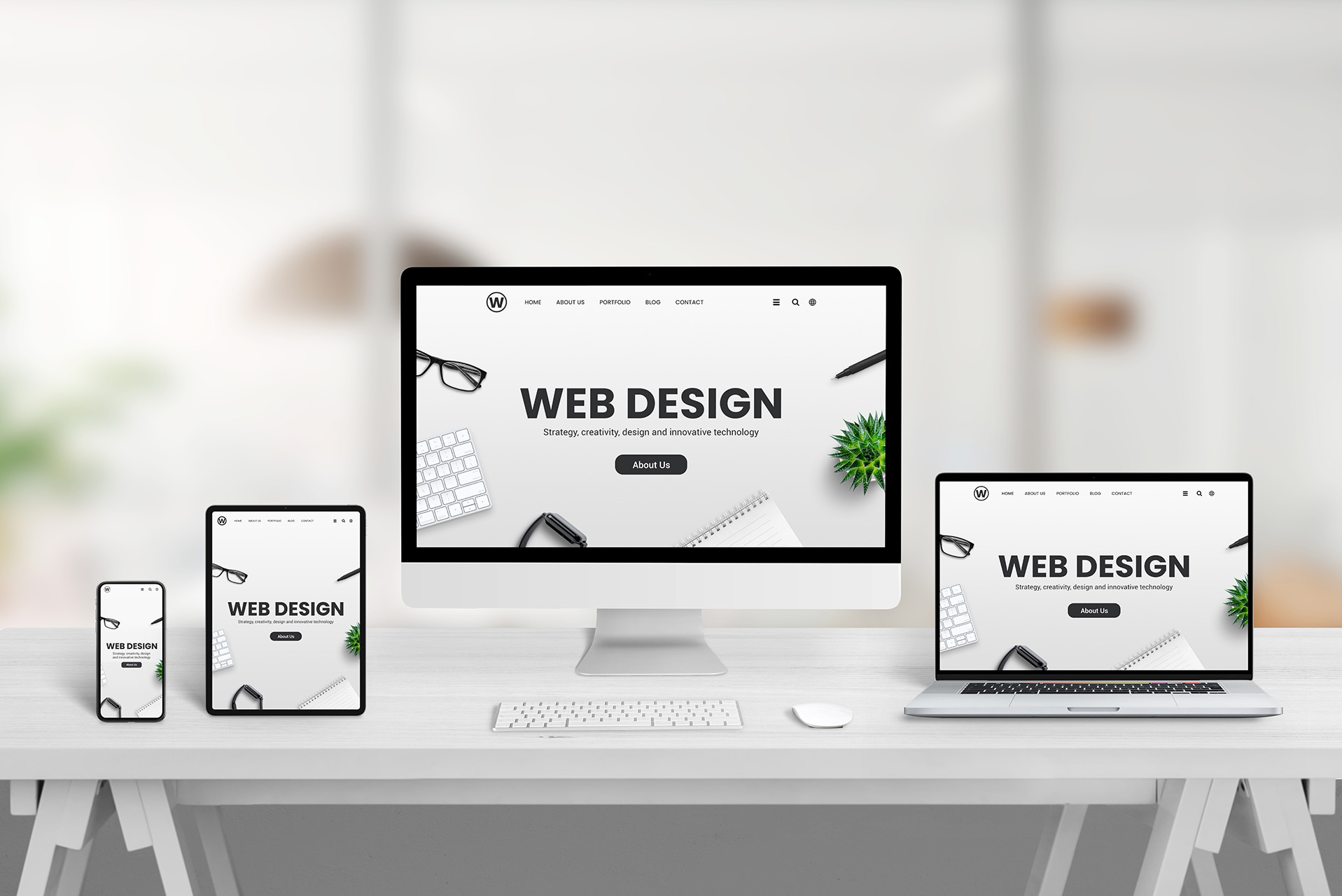
The site isn’t designed for one screen. It has to work on phones, tablets, laptops and large monitors. Most often, this means changing the layout and styling at different screen sizes so that the page structure remains intact and all elements continue to look visually consistent and remain easy to read and navigate. It’s kind of like designing your website several times.
It can require a surprising amount of additional design and development work. A website that looks great on a large monitor may need significant adjustments for a small phone screen – not just shrinking everything down. The menu design will need to change, columns may need to stack, images may need to be repositioned or resized, text and spacing adjusted, and buttons and other interactive elements resized to remain easy to use. Many people assume that the website builder they’re using will automatically make these changes for them, but that’s not always the case. Even when a website builder handles some responsive adjustments automatically, the results still need to be reviewed and fine-tuned.
Responsive design isn’t just about making a website look good on different devices. It also affects usability and search visibility. Search engines like Google consider mobile-friendliness as one of many factors when determining search rankings.
7. Development & Functionality
No matter what hosting provider and website builder you choose, setting up a website can take considerable time, especially if you’re migrating a domain to a different hosting provider or moving content from an old website to a new one. Hosting providers have different requirements and different levels of customer support, and these are often technical details that need to be figured out long before the site goes live.
You’ll also need to determine which email addresses you’re using and for what purposes, who should have access to the website and to what degree. Some features or functionality may also require purchasing software or plugin licenses.
Then there is the functionality that makes your website actually work. Forms need to be set up and tested. Ecommerce sites will require detailed product, pricing and shipping information, along with accurate and appropriately sized photos, product pages, a shopping cart, checkout and payment processing. Other websites may need booking systems, membership systems, analytics, social media integrations, basic SEO configuration, or additional features.
With WordPress, there’s another consideration: finding the right plugin for specialized functionality, determining whether it will work well on the site, configuring and customizing the plugin, and testing the functionality to make sure everything works as intended. Different plugins have different settings, requirements, and compatibility considerations, so it’s not as simple as installing one and clicking “Activate.”
8. Testing & Post-Launch

Testing happens throughout the design and development process. It includes checking page layouts and text at different screen sizes, making sure images and graphics display correctly, confirming that buttons and links go where they should, and checking form submissions and email notifications. If your website is an ecommerce site or has other special functionality, this will involve testing multiple user journeys – from browsing products to completing a purchase, or from selecting a service to completing a booking.
If your site has accessibility requirements based on WCAG Accessibility Guidelines, accessibility testing includes checking for things like keyboard navigation, focus states, color contrast, form labels, heading structure, alternative text, and other accessibility considerations based on the project’s requirements.
And post-launch testing matters because a website can behave differently once it is live. New content, plugin updates, integrations, caching, or hosting configurations can sometimes introduce unexpected problems.
9. Revisions and Refinement
They say a website is never done. The first version is rarely the final version, and I have never launched a website without making changes shortly afterward.
That’s not necessarily a bad thing. Once you see the website coming together, you may notice something you hadn’t considered before. A headline might need to change, an image might not work as well as expected, a section might need to be reordered, or a button might need to be more prominent.
Good design involves refinement. The goal isn’t to get everything perfect in the first pass; it’s to create a strong foundation, gather feedback, identify what needs improvement, and refine the result.
DIY Or Hire a Pro?

If you’ve never designed a website before, you probably discovered there are a lot of things to think about when it comes to creating a website – even a small one.
If you have the time, motivation, and patience to learn, you absolutely can build your own website. There are more tools available today than ever before. There will still be costs involved – hosting, domain, website builder, third-party integrations, premium features, etc., but you can still save a considerable amount of money.
But there’s a trade-off: what you save in money, you may spend in time, research, trial and error, and frustration. Hiring an experienced web and brand designer means handing the work to someone with professional design skills, who already knows the process, understands the decisions that need to be made, and can get you to the finished website much more efficiently.
Whether you decide to DIY or hire a web designer, understanding what’s involved can help you make the right choice for your business. And if you’d rather leave the research, planning, design, development, and troubleshooting to someone who does this every day, that’s what I’m here for.
Ready to make an impact?
Let’s Collaborate
Let’s discuss how we can bring your vision to life and create something extraordinary together.